Call Us
AI TRACKING
● REC 00:14:32
- Mon - Fri 10:00 - 18:00, Sat 10:00 - 15:00, Sunday - CLOSED
- Email: sales@israintech.com

-
-


WhatsApp
+92 321 1114772
Power cuts don’t wait for a convenient time. In Pakistan, load-shedding often hits in the evening, exactly when break-ins, theft, and vandalism are most likely to happen. So it’s a fair, urgent question: does a CCTV camera work without electricity?
The short, honest answer is no — a CCTV camera cannot operate without some form of power. But that’s not the whole story, and understanding the “but” is exactly what protects your property during the next outage. This blog breaks down what actually happens to your camera system when the lights go out, and how to make sure it doesn’t leave you blind at the worst possible moment.
The Direct Answer: No Power, No Recording
Every CCTV camera, whether it’s a wired analog camera, a modern IP camera, or a wireless WiFi camera, needs electricity to function. No exceptions. The moment power is cut:
- The camera sensor shuts off immediately. No live feed, no motion detection, no recording.
- Your DVR or NVR stops saving footage. Recording devices need continuous power just like the cameras themselves.
- Your router and internet connection drop. Remote viewing on your mobile app becomes unavailable.
- Monitors and display screens go blank. On-site staff loses visibility of every camera in the system.
If a camera has zero backup power connected to it, it is completely off — the same as any other unplugged electronic device. It is not quietly working in the background waiting for power to return.
So Why Do Some Cameras “Keep Working” During Outages?
This is where the confusion usually comes from. You may have heard that certain CCTV systems “work” during a power cut, and that’s true, but it’s not because the camera has some special ability to run without electricity. It’s because it’s still receiving power, just from a backup source instead of the mains.
In other words: the camera was never actually “off.” It switched to an alternate power supply so quickly that it looked uninterrupted from the outside. Here’s how that backup power typically gets delivered:
| Backup Method | How It Works | Typical Runtime |
| UPS (Uninterruptible Power Supply) | Battery unit sits between the mains and your DVR/cameras, switching over instantly during an outage | 30 minutes – 3 hours (depends on capacity and load) |
| Dedicated CCTV battery backup | A compact battery pack wired directly to the camera or NVR, often with automatic switchover | 2 – 8 hours, depending on battery size |
| Built-in camera battery | Some modern cameras include a small internal battery for brief continuity | A few minutes to about an hour |
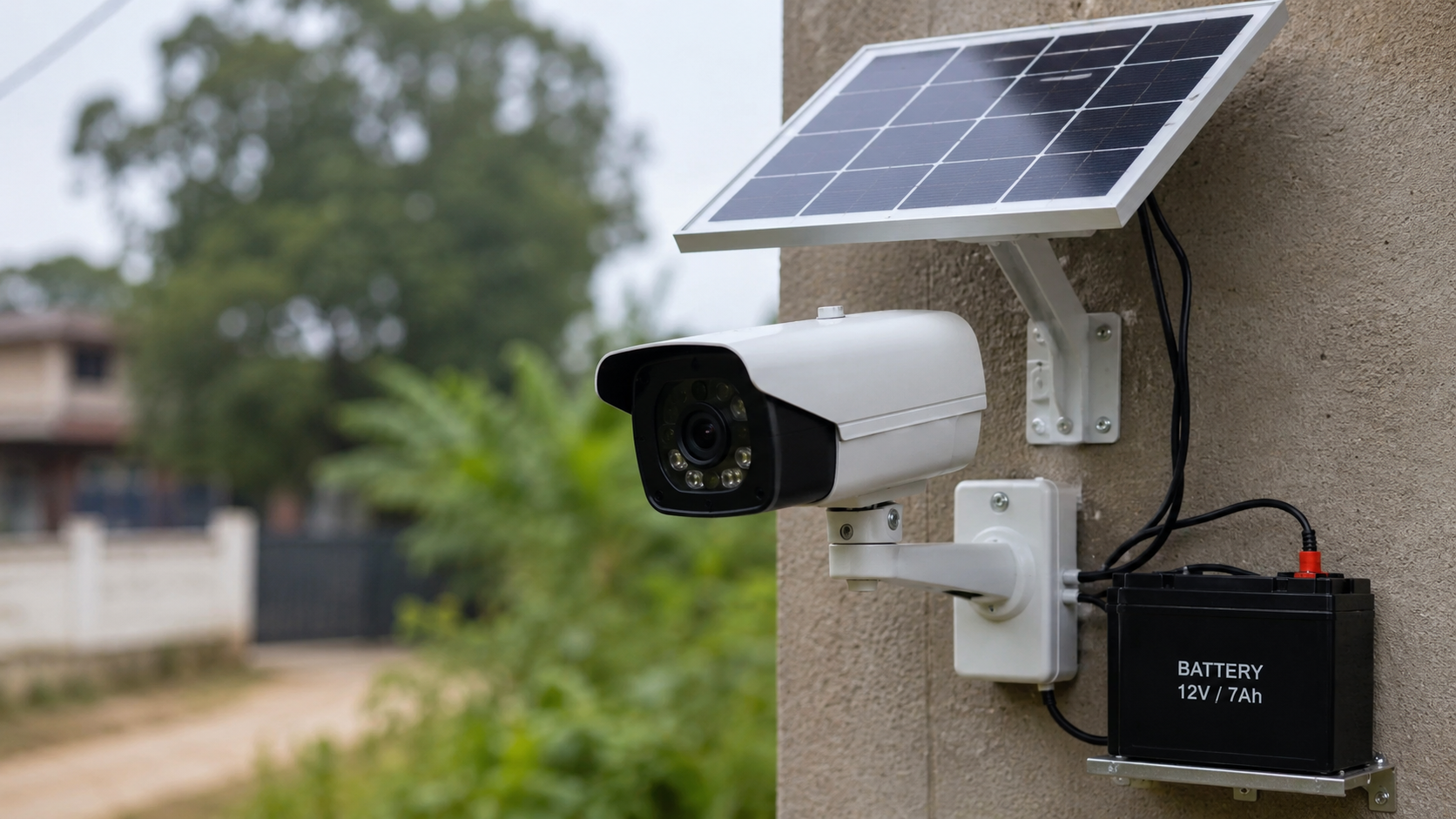
| Solar-powered CCTV setup | Solar panel charges a battery bank during the day, which powers the camera continuously | Can run 24/7 if sized correctly |
| Generator | Full-scale backup power for the property, keeping the entire security system, cameras, NVR, router, running | As long as fuel supply lasts |
Without one of these in place, a power outage means your entire surveillance system goes dark, no recording, no live view, no alerts, until the electricity comes back.
Recording vs. Remote Viewing: An Important Distinction
Here’s a detail that trips a lot of people up. Even when a backup power source keeps your cameras and NVR running, that doesn’t automatically mean you can check the footage on your phone.
- Local recording only requires power reaching the camera and the recording device (DVR/NVR or SD card). As long as backup power is connected, footage keeps saving.
- Remote viewing additionally requires your internet router and modem to stay powered, since your phone connects to the camera through the internet. Many UPS and battery backups aren’t sized to cover the router as well, which is why footage can still be recording safely even when your app shows the camera as “offline.”
If uninterrupted remote access matters as much as recording during outages, your backup plan needs to cover the router and networking equipment too.
Which Backup Option Is Right for You?
Not every property needs a generator, and not every home needs a full solar setup. Match the backup to how often and how long your power actually goes out:
| Your Situation | Recommended Backup |
| Occasional short outages (under 2 hours) | A standard UPS is usually enough |
| Regular load-shedding (2–6 hours daily) | Dedicated CCTV battery backup or a larger UPS with extra battery capacity |
| Frequent, extended outages in your area | Solar-powered CCTV setup for continuous, self-recharging power |
| Business, warehouse, or critical site | Generator backup, ideally paired with a UPS for the gap before the generator kicks in |
| Maximum uptime, no compromise | Generator + UPS combination — the standard for hospitals and critical infrastructure |
For most homes and small shops dealing with routine load-shedding, a mid-sized UPS or dedicated camera battery pack covers the gap without a major investment. Larger properties or businesses that cannot afford any blind spots should look at solar or generator backup instead.
Does a CCTV Camera Need Internet to Record?
This is worth separating from the electricity question, since the two get mixed up often. No, recording itself does not require an internet connection. A CCTV camera with local storage (an SD card, DVR, or NVR) keeps recording footage as long as it has power, internet or not. The internet connection is only needed for:
- Viewing the live feed remotely on your mobile app
- Receiving push notifications and motion alerts on your phone
- Cloud-based storage and backup, if your system uses it
So during an outage where your router also loses power, your cameras can still be quietly recording and saving footage locally — you just won’t be able to check it from your phone until power (and internet) is restored.
How to Build a Power-Resilient CCTV Setup?
If load-shedding or unpredictable power cuts are a regular part of life at your property, here’s a practical checklist:
- Add a UPS sized for your actual camera count and NVR, not a generic one-size-fits-all unit. More cameras and higher-resolution recording draw more power.
- Include your router and modem in the backup, if uninterrupted mobile viewing matters to you.
- Consider solar-battery CCTV cameras for areas with long, frequent outages — they recharge automatically and don’t depend on fuel or manual intervention.
- Test your backup regularly. Batteries degrade over time, and a UPS that worked perfectly a year ago may only last a fraction of its original runtime today.
- Prioritize critical cameras, entrances, cash counters, and gates if your backup capacity can’t cover every camera on the property simultaneously.
Common Mistakes That Leave Cameras Exposed
Even properties with a backup system in place sometimes discover the gap only after an incident. A few recurring mistakes are worth avoiding:
- Undersized UPS capacity. A UPS rated for 2-3 cameras will drain far faster if it’s actually powering 8 cameras plus an NVR — leaving far less runtime than expected.
- Forgetting the NVR/DVR in the backup plan. Some installations back up the cameras but not the recording device, which means footage still can’t be saved even though the cameras appear to be “on.”
- Never testing the backup. A battery that hasn’t been load-tested in a year may be holding a fraction of its rated capacity by the time you actually need it.
- Assuming remote viewing will work. As covered above, live app access needs the router powered too — a detail many households only discover during an actual outage.
Avoiding these mistakes is largely about sizing the backup correctly at installation time, rather than adding pieces reactively after a gap in coverage is discovered.
Don’t Let a Power Cut Become a Blind Spot
A CCTV system is only as reliable as its weakest link, and in Pakistan, that weak link is very often the power supply, not the camera itself. The good news is that this is a solvable problem with the right backup setup matched to your property and outage patterns.
Israintech designs and installs complete CCTV systems with the right UPS, battery, or solar backup built in from day one, so a power cut never means a security gap. Get in touch with our team for a free site assessment and a backup solution sized specifically for your home, shop, or business.
Frequently Asked Questions
Can a CCTV camera record without electricity at all?
No. A CCTV camera always needs power to operate. It can only continue “working” during an outage if it’s connected to a backup power source like a UPS, battery pack, solar system, or generator.
How long does a UPS keep a CCTV system running during load-shedding?
Typically 30 minutes to a few hours, depending on the UPS capacity, the number of cameras connected, and whether the NVR and router are also drawing from the same backup.
Does a CCTV camera need internet to keep recording?
No. Local recording to an SD card, DVR, or NVR continues without internet as long as power is available. Internet is only required for remote viewing, alerts, and cloud backup.
Is solar power a good backup option for CCTV in Pakistan?
Yes, especially in areas with frequent or extended load-shedding. A properly sized solar-battery setup can keep a CCTV system running continuously without depending on grid electricity or fuel.
What’s the difference between a UPS and a dedicated CCTV battery backup?
A UPS is a general-purpose backup device often shared across multiple electronics, while a dedicated CCTV battery backup is wired specifically to the camera system, sometimes offering longer runtime for the same footprint.

Leave A Comment